

Telematics
Optimize Your Fleet with Ford ProTM Telematics Solutions
Monitor your vehicles in real-time and get performance insights to help streamline your operations.
From live GPS tracking and vehicle diagnostic alerts to EV charging tools and fuel efficiency analysis, we combine powerful software with OEM expertise to provide end-to-end telematics solutions.
Explore Telematics Solutions
By Ford ProTM Intelligence
Ford Pro Telematics brings you important vehicle and driver information all in one easy-to-read dashboard, helping you make informed decisions for your business. Plus, no external device is needed to get started on modem-equipped Ford vehicles from 2020 model year or newer.
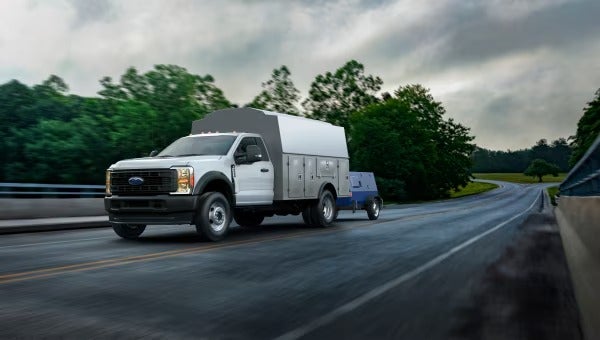
Efficiency Insights
Check out fuel consumption, EV range, and idling time reports to help increase the efficiency of your fleet.
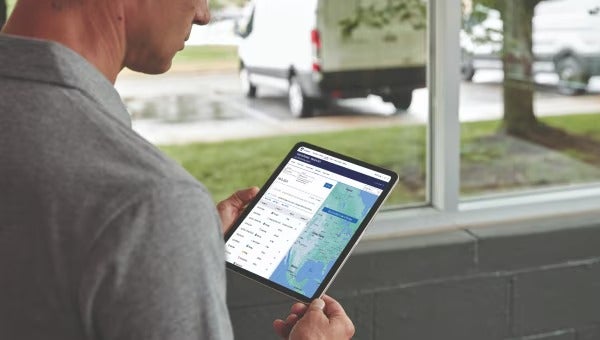
Fleet Tracking
Monitor vehicles and driver habits with live GPS and set controls to prevent vehicles from starting at specific times or leaving a given area.

Vehicle Health Monitoring
Get alerts about warning lights, oil life and recalls for your vehicles, and then schedule service right on the page.
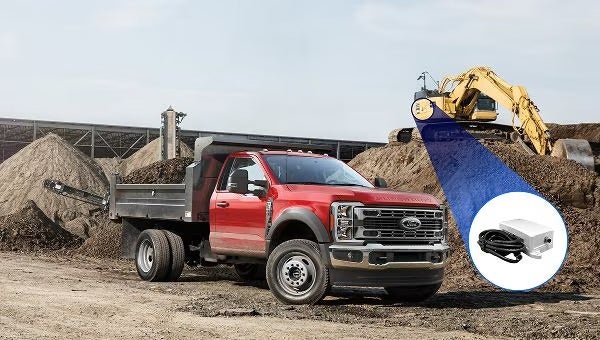
Monitor Your Valuable Equipment in Real-Time with Asset Tracking
Ford ProTM Telematics offers Asset Tracking that uses GPS and tracking devices which connect to your valuable equipment. Knowing your stuff is safe lets you stay focused on your business.
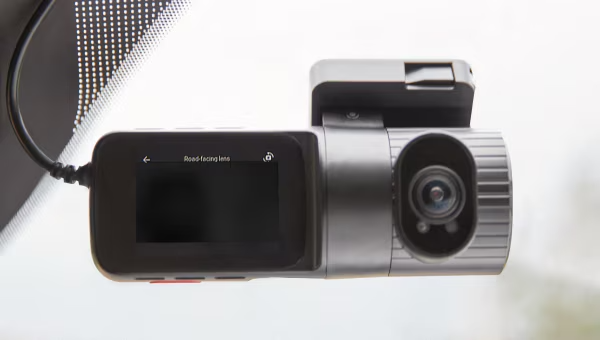
Add Dashcams to Help Reduce Risk and Increase Insight
Help protect your fleet operations by getting the whole picture of what happens on the road. Combine high-quality video footage and driver performance alerts to get a clearer view of your fleet.?3
Explore Dashcam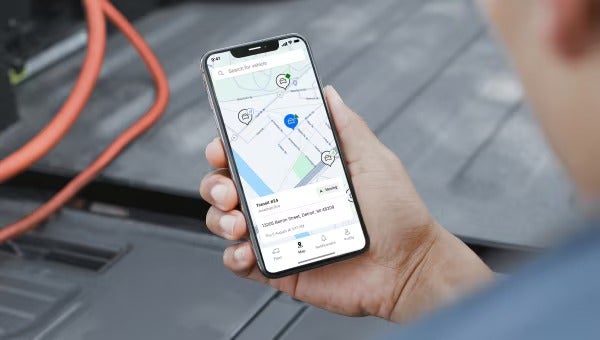
Manage Your Fleet On-the-Go with the Mobile App
The Ford Pro Telematics Drive app empowers fleet managers to monitor their fleet's health and location from anywhere. Drivers can also use the app to export trip details, document vehicle checks, and remotely lock and unlock their vehicles.
Telematics Benefits for Your Business
Help maximize your business right off the bat or start with the essentials — no contract needed.
|
|
Ford
ProTM Telematics Essentials?4
Complimentary
for the life of the vehicle
|
Ford
ProTM Telematics?1
$20/mo.
per vehicle
|
|---|---|---|
|
User-Friendly
Dashboard
|
|
|
|
Vehicle
Health Insights
|
|
|
|
Dealer
Scheduling
|
|
|
|
Maintenance
and Service Tracking
|
|
|
|
GPS
Fleet Tracking and Geofencing
|
|
|
|
Fuel
Efficiency Analysis
|
|
|
|
Ford
Pro Telematics Drive App
|
|
|
|
Location
and Trip History
|
|
|
|
Non-Ford
Vehicle Support
|
|
|
|
In-Vehicle
Coaching
|
|
|
|
Vehicle
Security
|
|
|

Get More Out of Ford EVs With E-Telematics
Unlock additional data and controls for Ford EVs with E-Telematics. Access real-time range and charge status, remote preconditioning and home-charging reimbursement tools.
Contact UsReal-Time Insights — Real Results
See how other businesses are reaping the rewards of Ford ProTM Telematics.

How Information From Telematics Assisted With a Fleet’s Recovery of Stolen Assets
Learn how the combination of Ford Pro Telematics and the activation of a vehicle's built-in modem helped Motive Companies and law enforcement recover more than $200,000 in stolen assets.
Read More
For Winegrowers, Fleets Pair Well With Data
Maximizing uptime is an everyday priority for winegrowers like Dutton Ranch. Learn how they use Ford Pro Telematics to monitor their vehicles' maintenance needs, so they can proactively schedule service and keep their equipment running smoothly.
Read More
Streamline Your Operations with Ford ProTM Fleet Management Software
Our fleet management software puts you in control of your fleet's performance while cutting down on your workload.
By digitizing fleet records and tracking details like maintenance history, fuel consumption, and inventory, you gain valuable insights to optimize operations, reduce costs, and boost profitability.
Learn MoreTelematics FAQs
What is telematics?
Telematics is the use of technology to collect and analyze data from vehicles. Telematics systems enable vehicles to transmit real-time information, like their location or fuel status, back to the business or fleet manager who can then use the information to make real-time and long-term decisions. They're a critical tool for any business that relies on vehicles to complete work.
How do telematics systems work?
Telematics systems start by collecting data from the vehicle. Newer vehicles from car makers like Ford are already equipped to transmit useful data, but older vehicles or those of another make may be able to get connected with a plug-in modem. That data is processed by telematics software, which then provides real-time information and recommendations to users, often business owners and fleet managers. For example, a fleet manager could view all of their service trucks on a live map to see where they are at any given time. In another case, a business owner can monitor the fuel efficiency of their vehicles over time and use that information to effectively schedule service or plan for changes to their fleet.
Some systems, like Ford Pro Telematics, can also be used to remotely set controls on vehicles. For example, a fleet manager can prevent a vehicle from driving over a speed limit or be prevented from leaving a specified area.
What data do telematics systems track?
This ultimately depends on how much data the vehicle's internal computer can gather and how effectively the telematics software can process the raw data into actionable information for business owners and fleet managers. As an example, Ford Pro Telematics can display a vehicles location, gas mileage, EV range, and diagnostic information, and more.
What is a telematics control unit?
A telematics control unit is the bridge between the vehicle's sensors and the telematics service provider, enabling data to be collected and then processed. Newer vehicles from car makers like Ford are already equipped with built-in telematics control units and don't require additional hardware.
Is my vehicle equipped with a modem?
Most 2020MY Ford vehicles and newer are outfitted with a built-in modem. Incompatible vehicles include:
- 2021 E-Series Cutaway/E-Series VN127
- 2021 F-650-F-750 Medium Duty
- 2020 F-59/53 (Motorhome)
- 2020 F-150 Workhorse (XL version)
How do I add my modem-equipped vehicles to my Telematics account?
Once you’ve established your log-in credentials, it’s time to fully activate your Telematics account by adding the VINs for eligible vehicles in your fleet. Before adding new VINs, make sure to review the checklist “Vehicle Readiness for Enroll and Unenroll,” which you should’ve received in your onboarding email. You’ll enroll vehicles through your Ford Pro Marketplace account. Once logged in, navigate to the “Vehicles” tab on the left side of the screen. Click the “Add Vehicles” button and fill out the pop-up form. You can enter vehicles one at a time or add vehicles in bulk by downloading a CSV template, populating it with your vehicles’ information and uploading the file. Make sure to click the “Add Vehicle” button, and your enrolled vehicles will immediately appear on the Vehicles tab with an Action status. For more detailed instructions, check out this step-by-step tutorial. If you’re still having issues uploading vehicles, don’t hesitate to reach out to the Ford Pro Intelligence Team.
How do I get a Plug-in Modem Kit for my older Ford and non-Ford vehicles?
You can order Plug-In Modem Kits via your Ford Pro Marketplace account. Each Kit costs $129 and includes the plug-in device (PID), as well as an accompanying splitter and harness. The PID easily plugs into your vehicle’s OBD-II port. Please note that your Kit may take up to 30 days to be delivered. The richness of data available via a PID is determined by the age and capability of the vehicle.
How do I upgrade from Essentials to the full version of Telematics?
Upgrading your active Telematics Essentials subscription is a quick and easy process that can be completed within your Ford Pro Marketplace account. Vehicles must be re-enrolled, and the upgrade requires two ignition cycles. This process could take longer depending on the vehicle’s location and its current use.
How do I add In-Vehicle Coaching?
In-Vehicle Coaching is an audible alert system that monitors and corrects driver behavior in real time. To access this feature, you must have an active Telematics subscription?1. You can add In-Vehicle Coaching at no extra cost through your Ford Pro Marketplace account. Once you’ve added eligible vehicles, you can set custom driver parameters, such as speeding threshold, idling duration and acceleration sensitivity. For step-by-step instructions on this process, check out this video tutorial.
How do I add Vehicle Security features?
To access vehicle security features, you must first be a Telematics subscriber. If you’re already subscribed to Telematics, you can add security features through your Ford Pro Marketplace account. By remotely configuring a collection of security alerts, you’ll be notified if a fleet vehicle is being misused outside of business hours or is involved in a traffic incident. A vehicle’s ignition does not need to be turned on to track its location.
Want to Know More?
We’re here to answer any additional questions you might have.
Talk With An Expert